Contract
Contract Overview
A Contract is a legally binding agreement that establishes, defines, and controls the mutual rights and duties of its members. The CRM system allows you to create and record your contracts between you and your clients. You can mange all Contracts, their details and progress by clicking on Work -> Contracts in the left sidebar menu.
Contract List
The Contract list displays all of yours Contracts and their essential information such as the Contract name, client, amount, start, and end date.
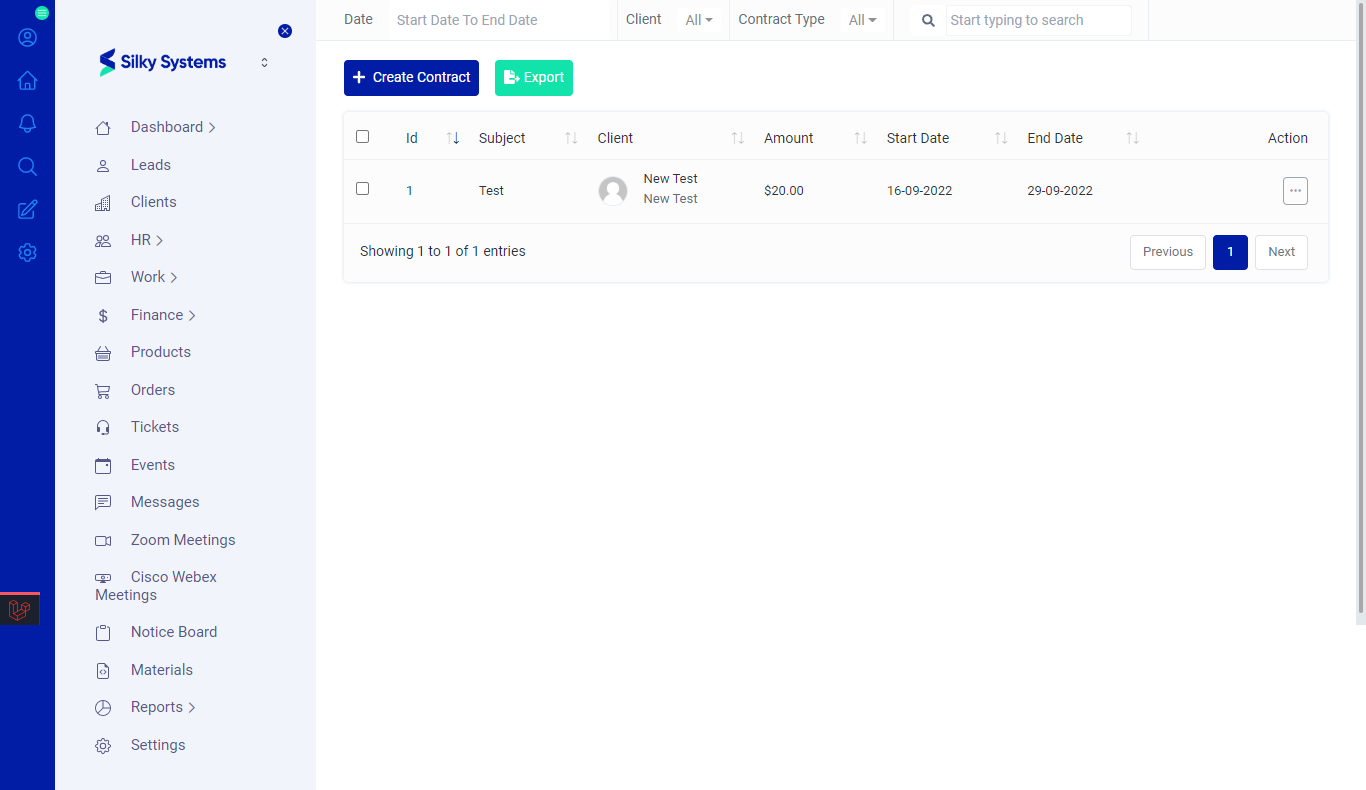 Figure.01 Contract List
Export
You can export the list of Contracts by clicking on the Export button.
Filters
The CRM System lets you filter the Contract records based on various factors such as date, and type. You can access more filters by clicking on Filters.
Action Column
Click on the three vertical dots to access more options in the Action column in table view. You can perform the usual View, Edit or Delete operations along with other operations.
- Public Link: The public link options creates a URL link of the contract that can be shared with anyone who is not registered on the CRM system.
- Copy Contract: The copy contract option lets you duplicate the contract.
- Download: This options lets you download the contract locally onto your system.
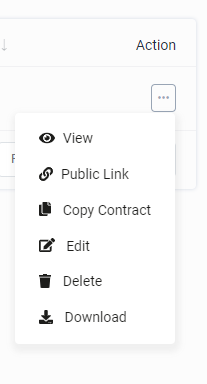 Figure.01 Contract List
Add Contract
To create a new Contract, click on Create Contract. Give an appropriate subject and fill in all the required details. You can set the expiration date and select Watchers. Watchers are people who will receive notifications regarding the contract. Click save when you are done.
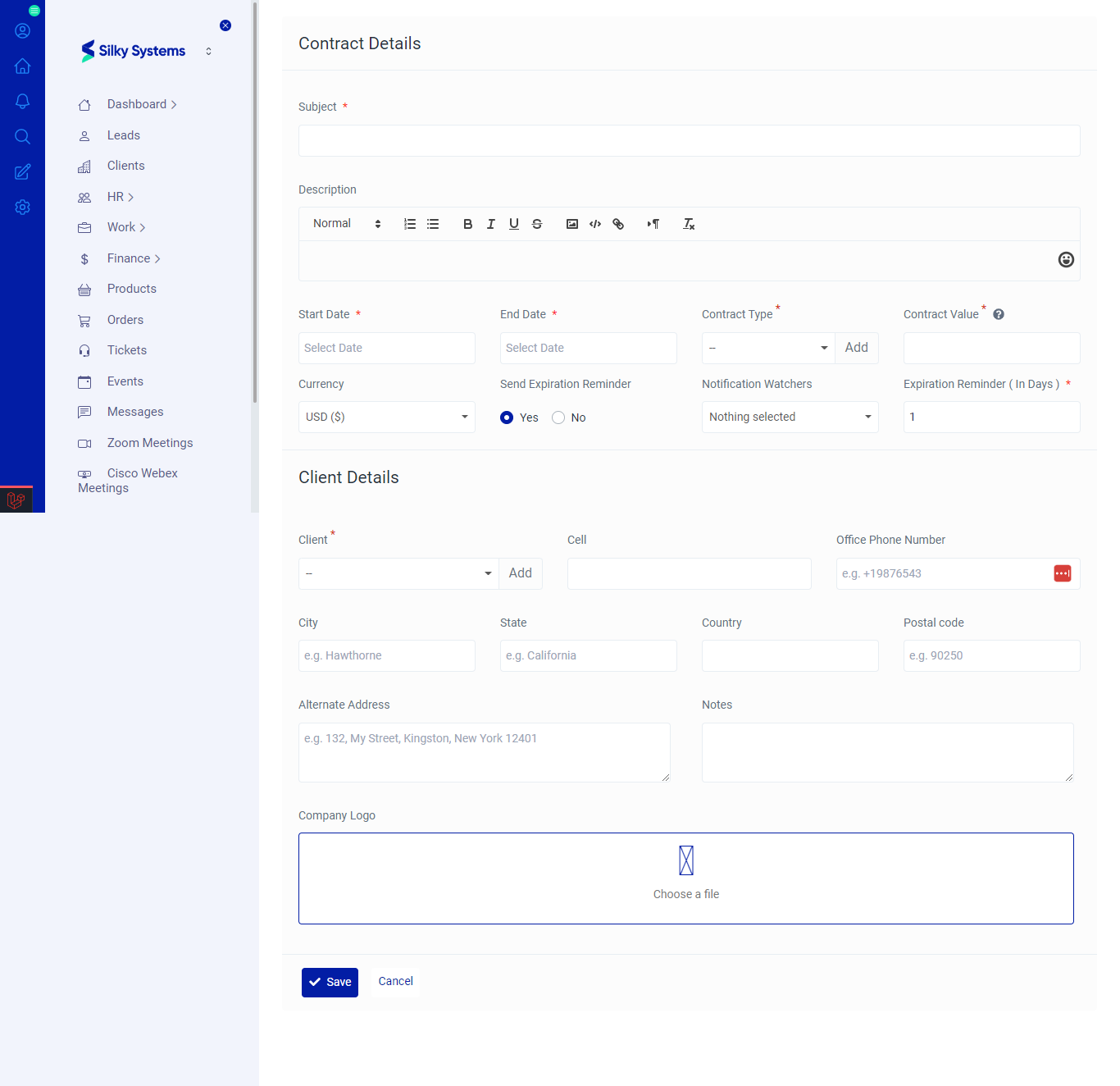 Figure.04 Add Contract
Edit Contract
You can edit all the Contract details by clicking on the edit option under the Action Column.
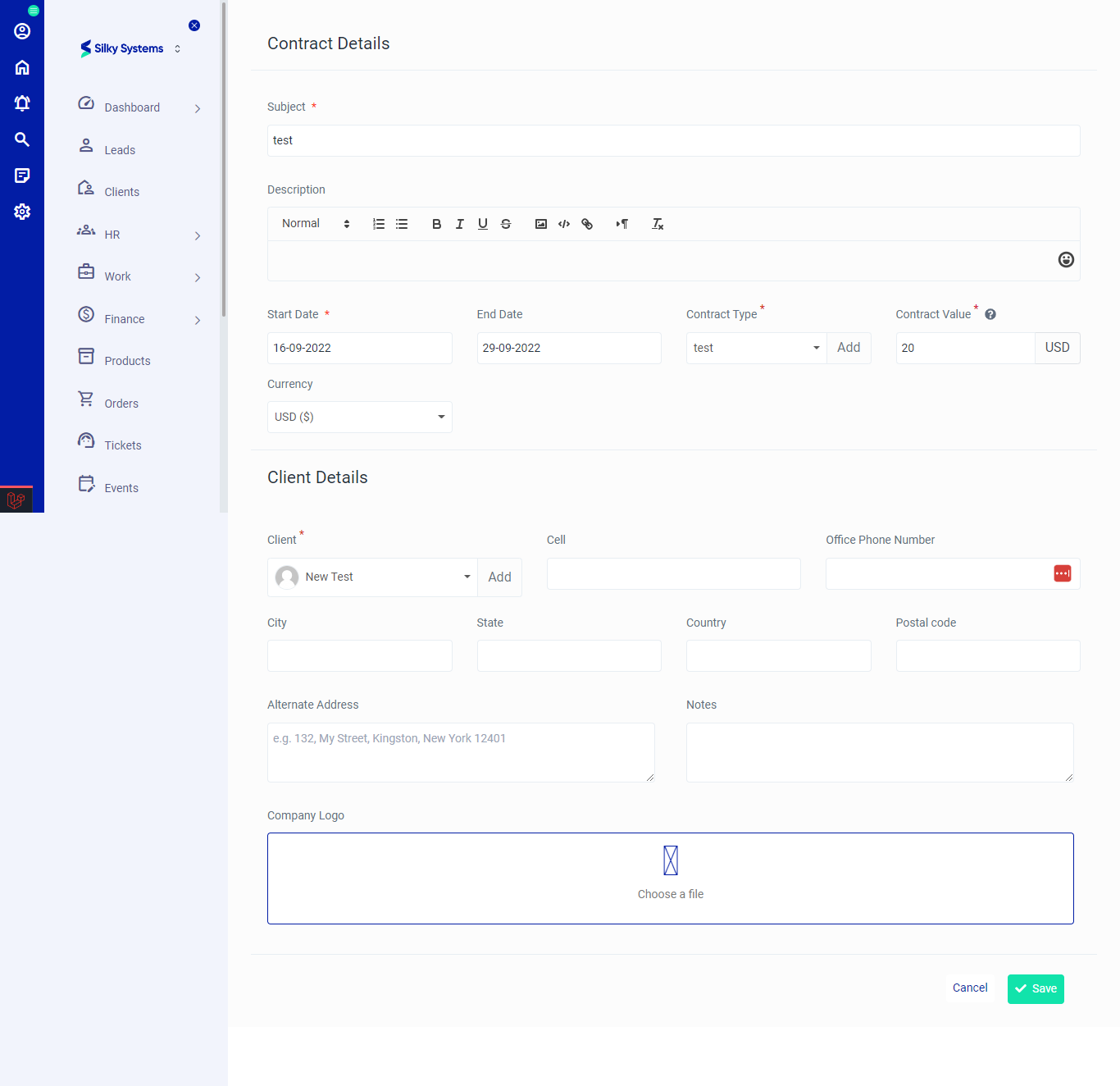 Figure.05 Edit Contract
View Contract
You can view all the Contract details by clicking on the view option under the Action Column.
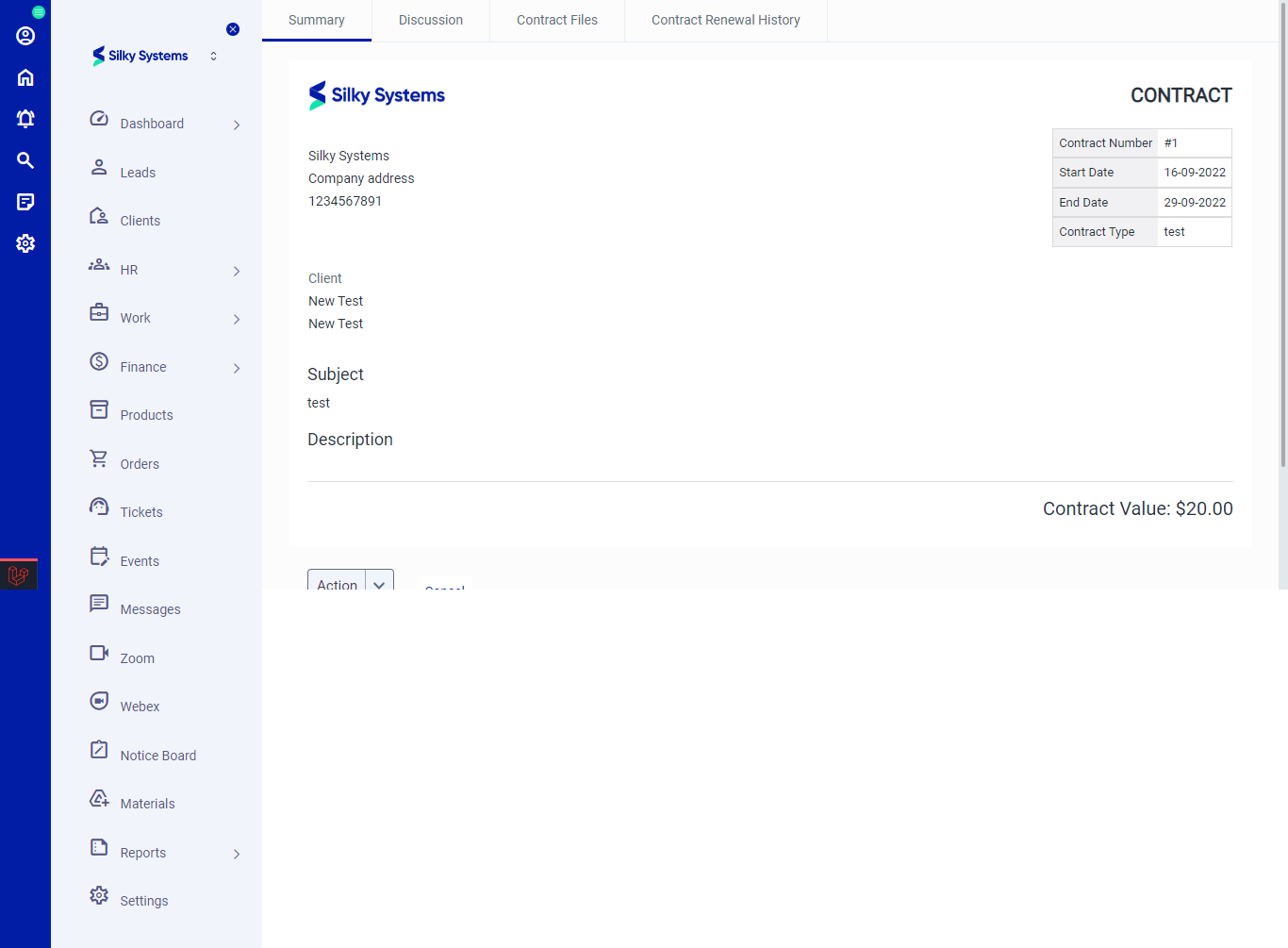 Figure.06 View Contract
Summary: This section shows the Summary and general overview details of the Contract. The Action button lets you download the contract.
Discussion: Discussions are the comments and remarks exchanged between the you and the client. You can add comments by clicking on Add Comment.
Contract Files: This section stores all Contract Files exchanged between you and the client. You can add new files by clicking on Create Files.
Contract Renewal History: All the Contract Renewal record is displayed here. You can renew contract by clicking on Renew Contract.