Campaigns
Campaigns Overview
A Campaign is a planned and coordinated set of actions that are designed to achieve a specific goal or objective. You can view the list of all Campaigns by clicking on Campaigns in the left sidebar menu. You can add, edit, delete, send test email, or export Campaigns. At the top of the Campaigns page, you'll find the Add Campaigns button. The Add Campaigns option allows you to create New Campaigns.
Campaigns List
The Campaigns list displays all of yours Campaigns and their essential information such as the Campaigns name, sender name, campaign subject, status, and send date.
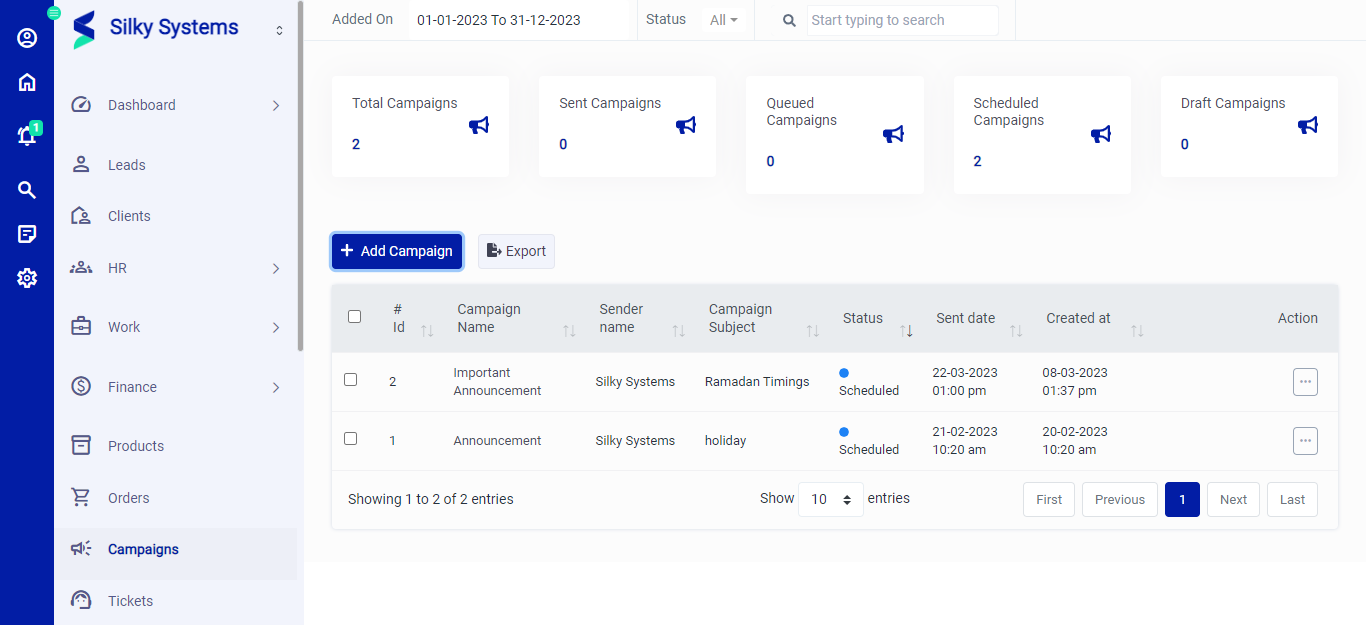 Figure.01 Campaigns List
Export
You can export the list of Campaigns by clicking on the Export button.
Action Column
Click on the three vertical dots to access more options in the Action column in table view. You can perform the usual View, Edit or Delete operations.
View: The view button lets you view the campaign details.
Edit: The edit button lets you edit your campaign details.
Delete: The delete button deletes the campaign.
Send Test Email: This option allows you to send a test email for the campaign to the specified email address.
Add Campaigns
To create a new Campaigns, click on Add Campaign. Specify the campaign name, subject, sender name, email, recipients name, message and schedule. Fill in all the required details and click save.
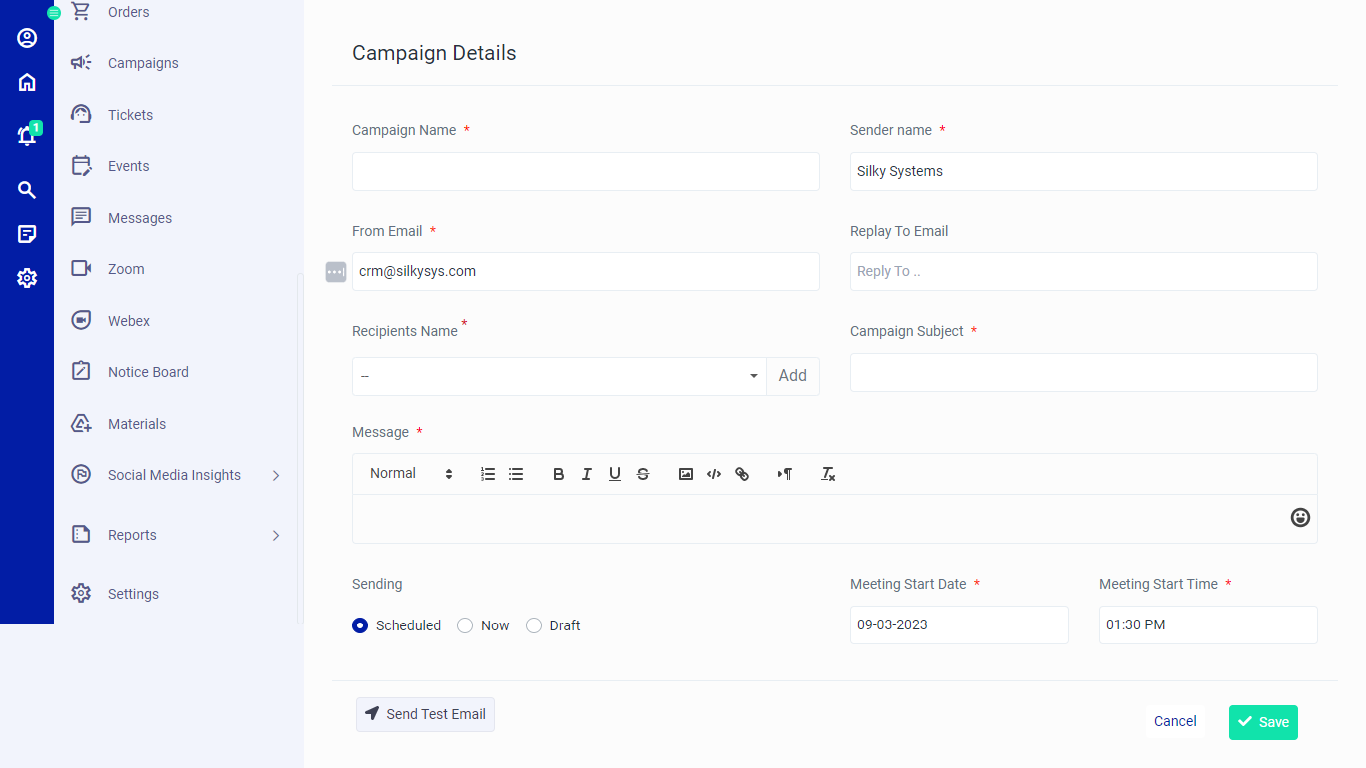 Figure.02 Add Campaigns
View Campaigns
You can view all the Campaigns details by clicking on the view option under the Action Column.
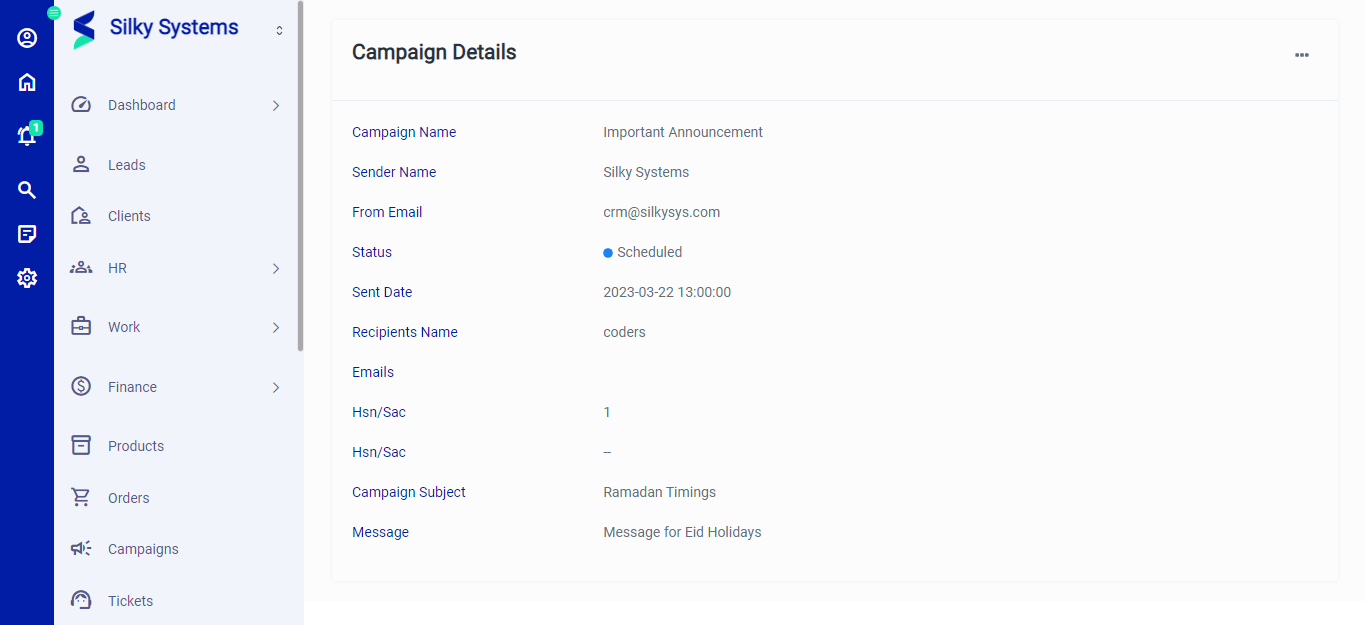 Figure.03 View Campaigns