Zoom
Zoom Overview
Zoom is a cloud-based video conferencing platform that allows people to communicate and collaborate remotely. It allows users to host or join virtual meetings, webinars, and online events with features such as video and audio calls, screen sharing, and file sharing. Zoom has become increasingly popular in recent years, especially during the COVID-19 pandemic, as people have had to work, learn, and socialize from home. The Zoom feature allows you to arrange meetings with the employees under one platform. You can view all Zoom meetings by clicking on Zoom in the left sidebar menu.
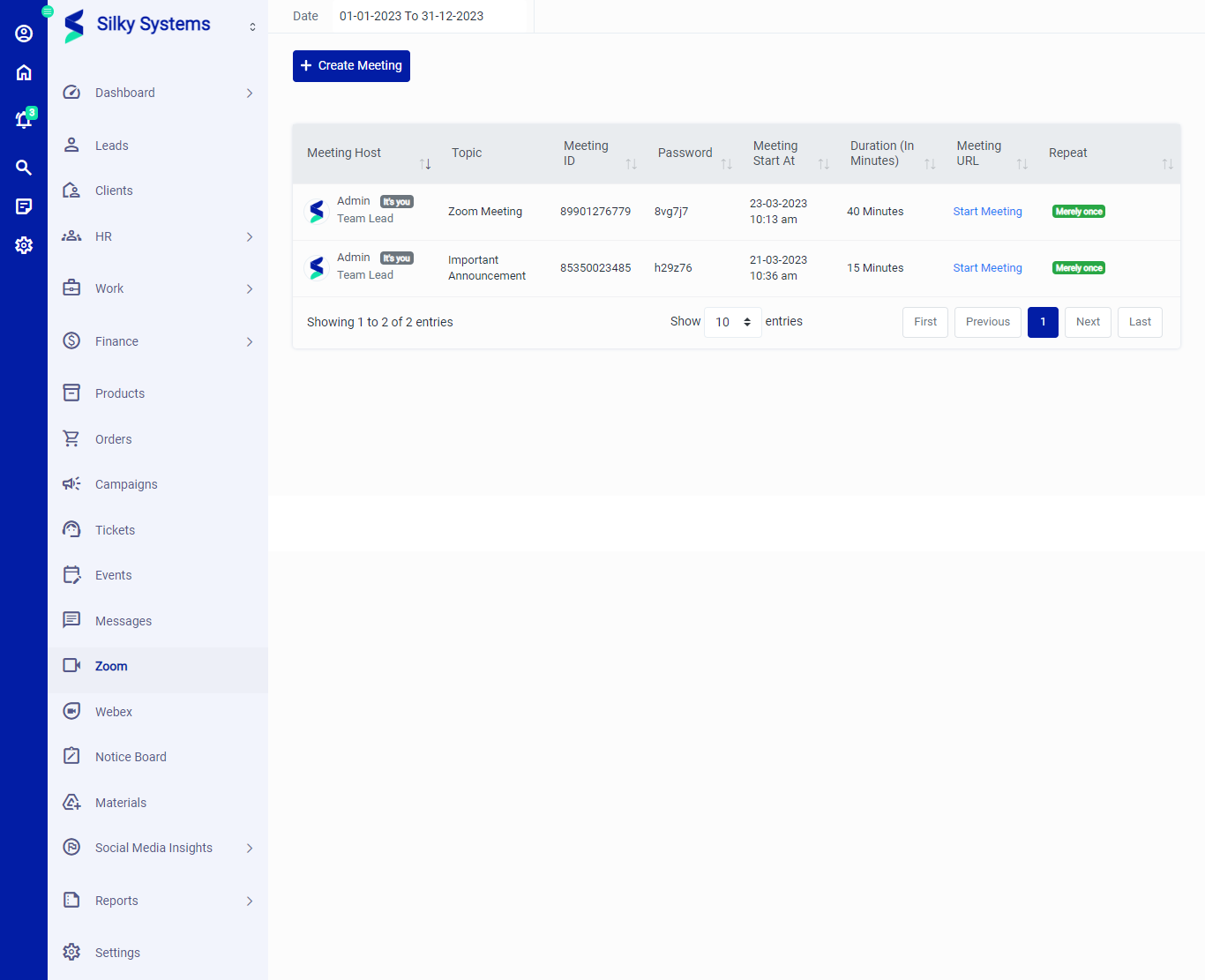 Figure.01 Zoom List
Create Meeting
To start a new meeting, click on Create Meeting. Type in the appropriate Meeting Topic, Duration, select the Employees and/or Clients, Leads, and select the Meeting Date. If it is a repeating meeting then select Periodically. Click Save when you are done.
A Meeting ID and Password is generated, Click on Start Meeting to start your zoom meeting.
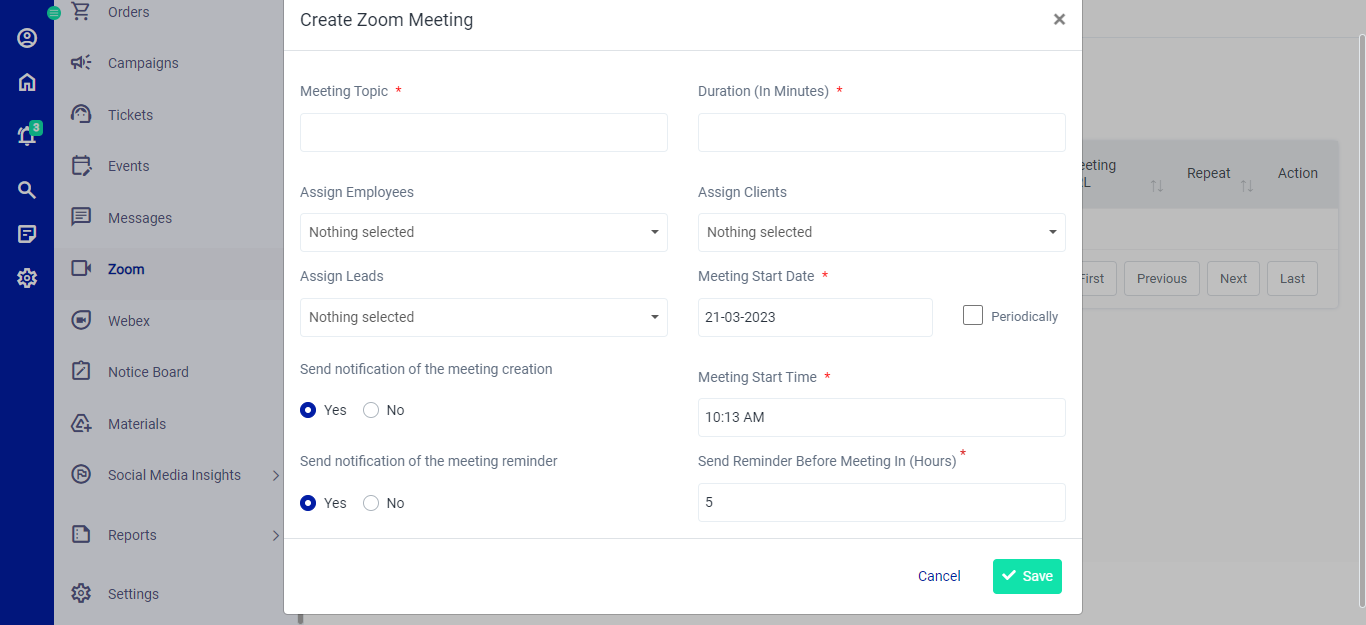 Figure.02 Create Meeting