Reports
Introduction
The Reports feature of the CRM system provides analytical data on various aspects of the business. This guide explains the functionality of each report and how to use it effectively.
Task Report
The Task Report provides information on tasks that have been assigned to team members, including the status of each task, the due date, and assigned project. This report allows managers to track the progress of tasks and ensure that deadlines are met.
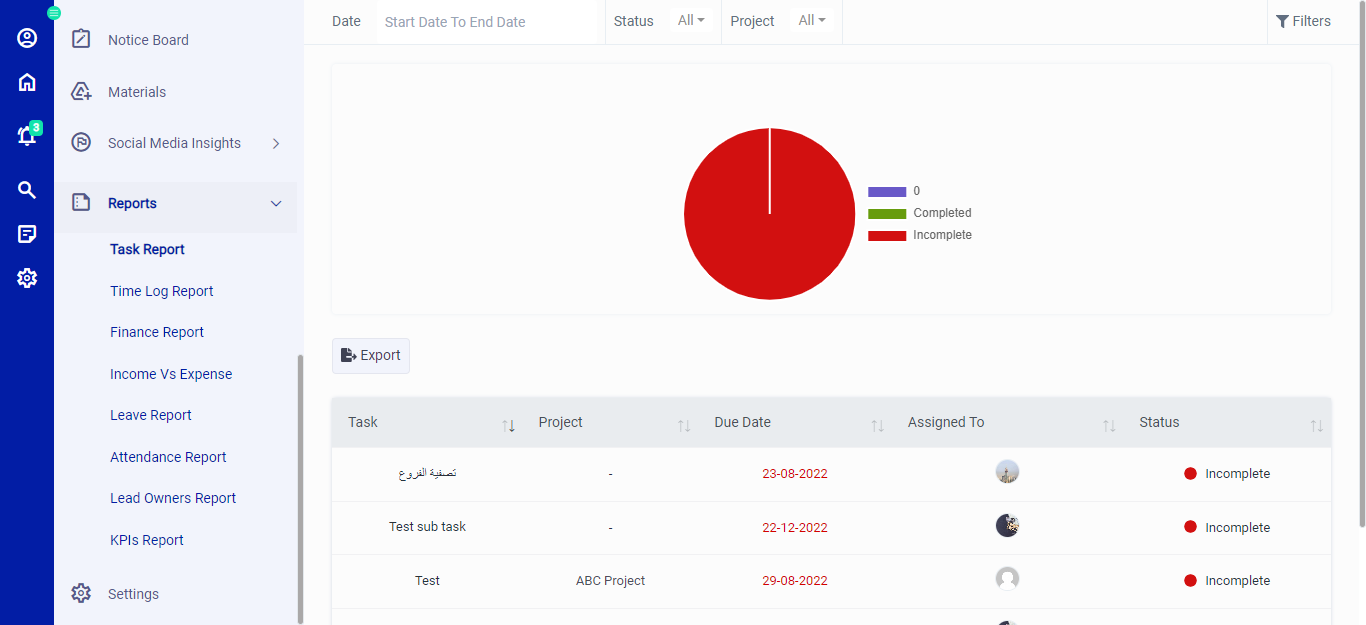 Figure.01 Task Report
Time Log Report
The Time Log Report provides information on the time spent on various tasks by team members. This report allows managers to track productivity and identify areas where time can be better utilized.
Finance Report
The Finance Report provides an overview of the financial status of the business, including project, invoices, amount, paid on date and status. This report allows managers to identify areas where costs can be reduced and revenue can be increased.
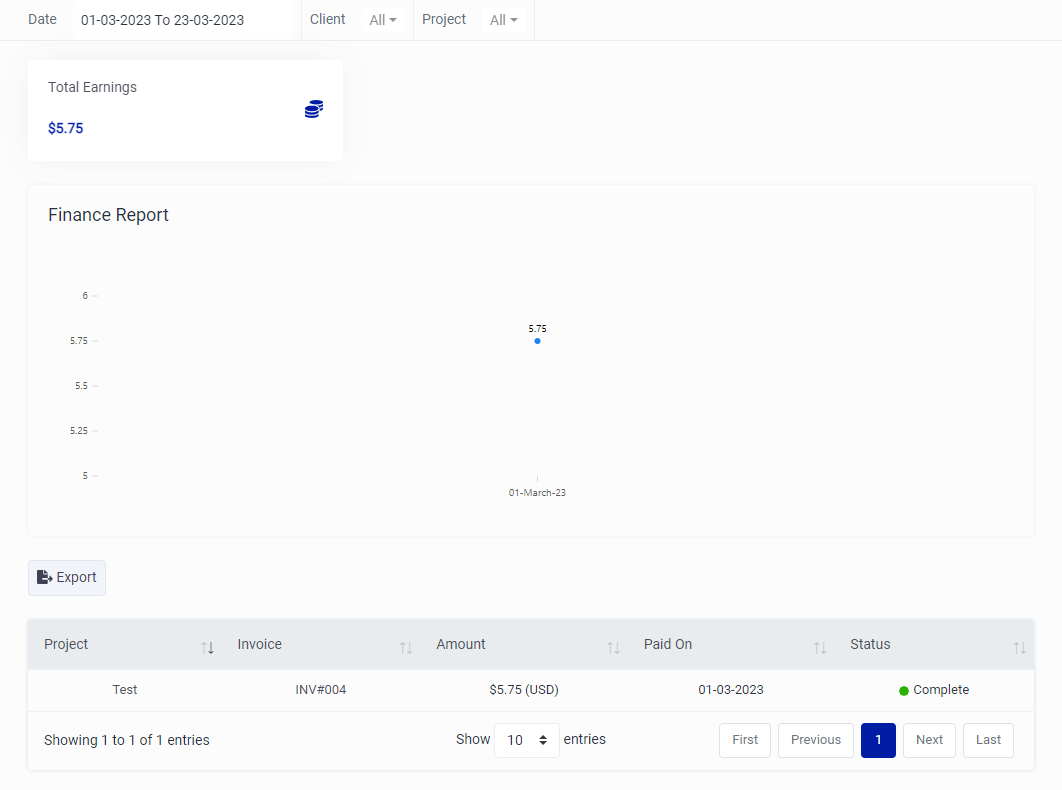 Figure.02 Finance Report
Income Vs Expense Report
The Income Vs Expense Report provides a comparison between the income generated and the expenses incurred by the business. This report allows managers to identify trends in revenue and expenses and make informed decisions about budgeting and resource allocation.
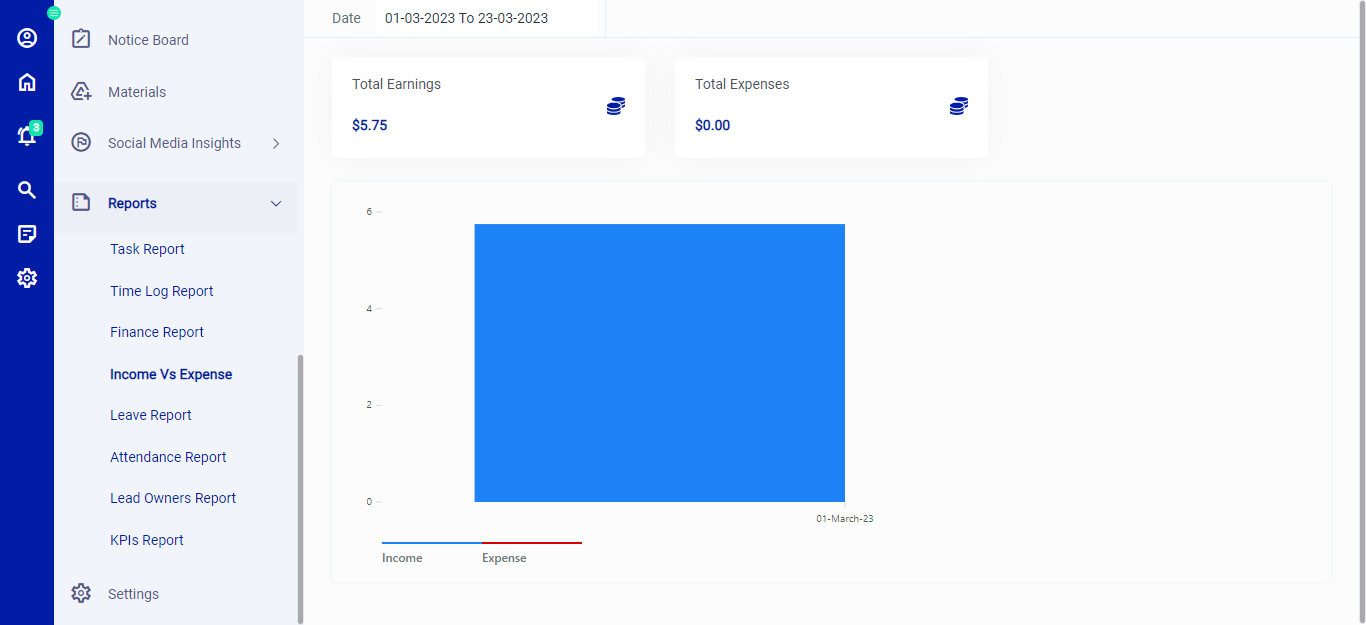 Figure.03 Income Vs Expense Report
Leave Report
The Leave Report provides information on the leave taken by team members, including the type of leave and the duration. This report allows managers to plan for team member availability and ensure that sufficient coverage is maintained.
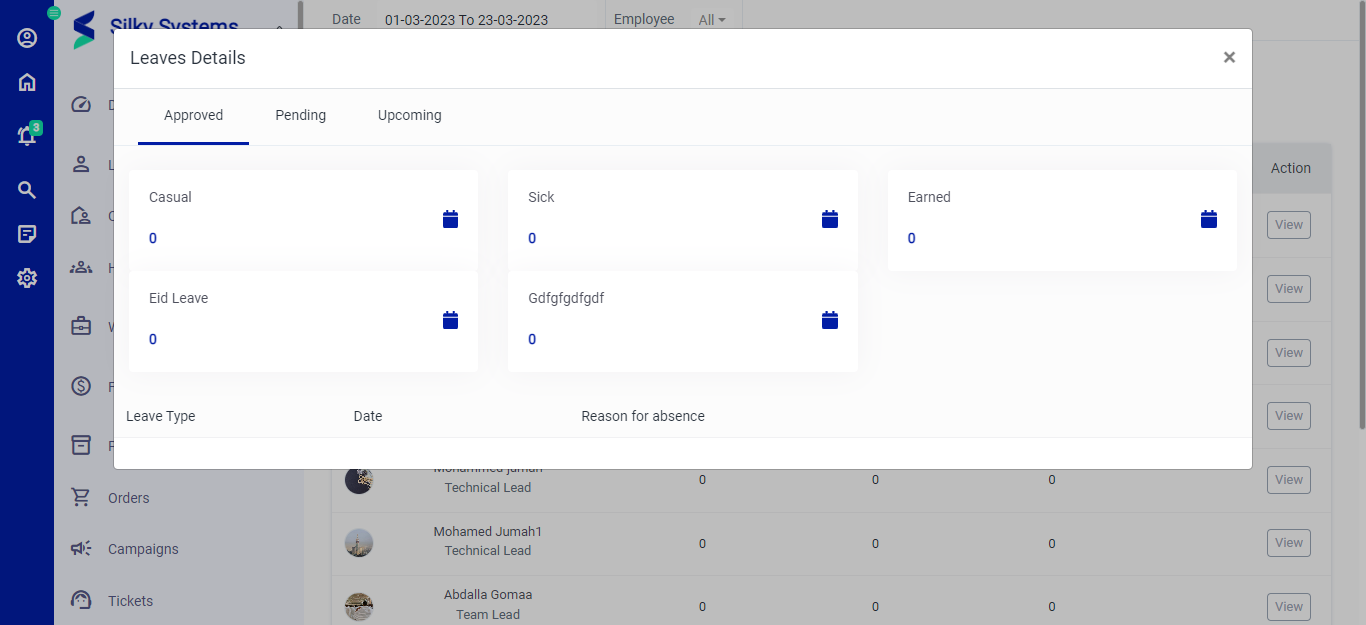 Figure.04 Leave Report
Attendance Report
The Attendance Report provides information on the attendance of team members, including the number of days present and the number of days absent. This report allows managers to identify attendance trends and take appropriate action to address attendance issues.
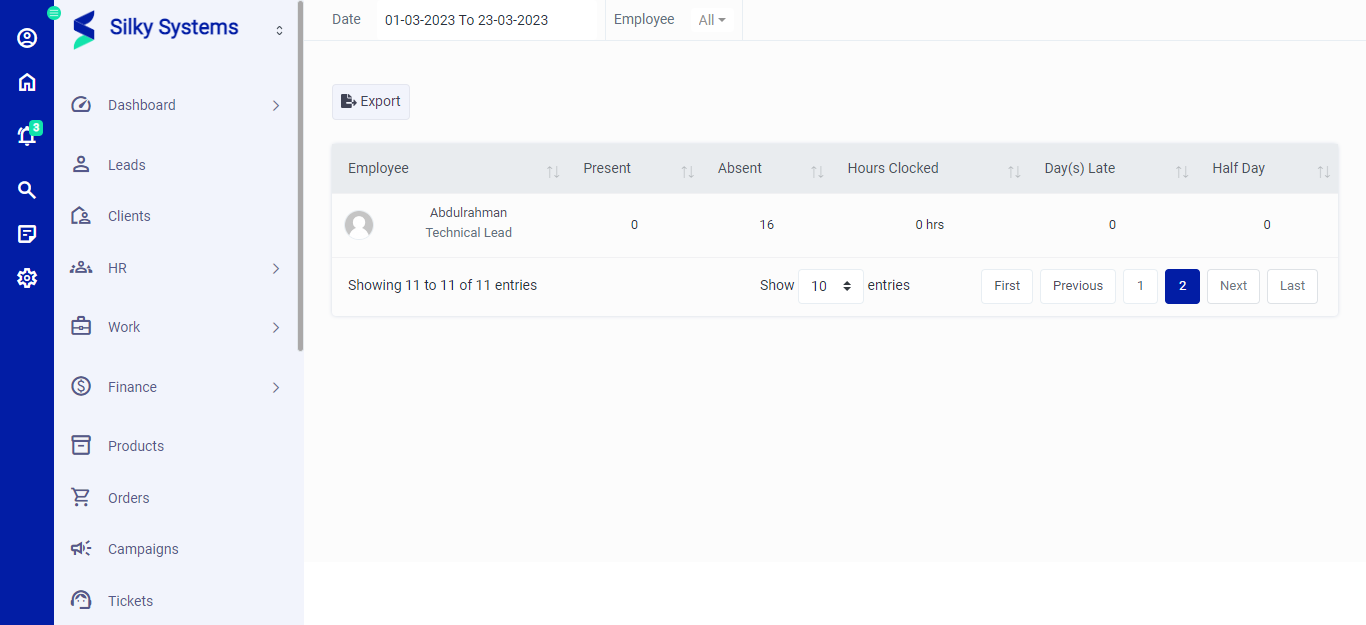 Figure.05 Attendance Report
Lead Owners Report
The Lead Owners Report provides information on the performance of sales team members in generating leads and closing sales. This report allows managers to identify high-performing sales team members and provide coaching and support to those who need it.
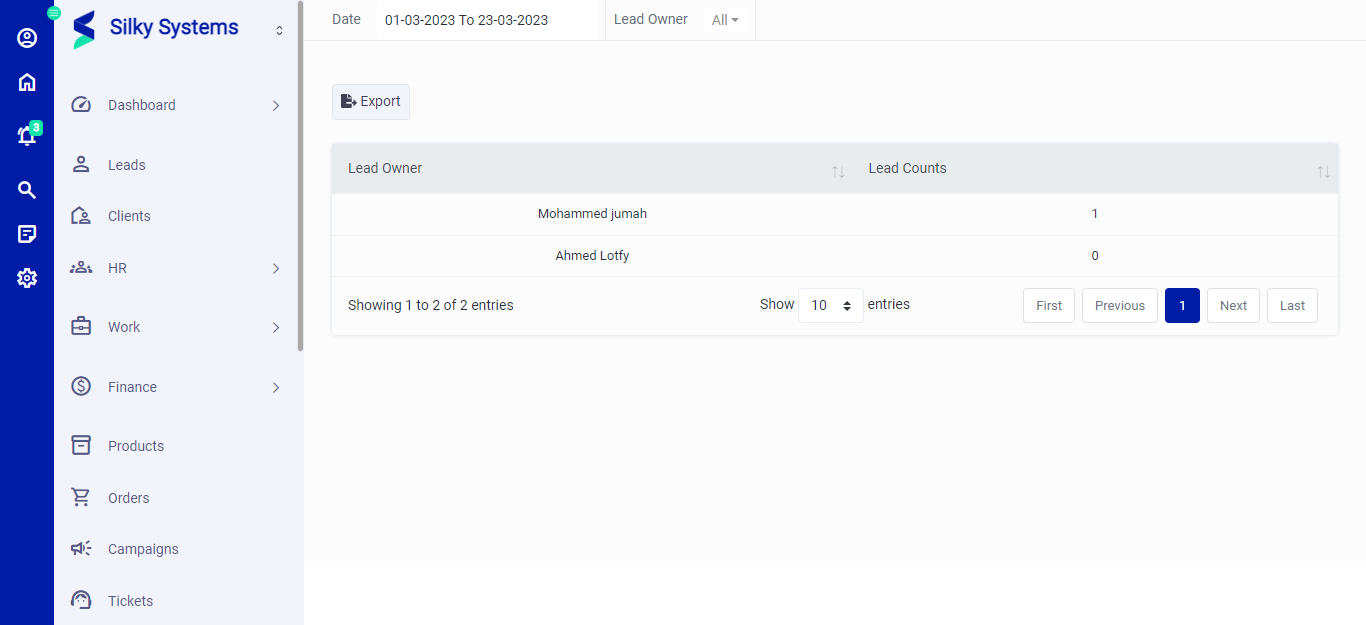 Figure.06 Lead Owners Report
KPIs Report
The KPIs Report provides an overview of the key performance indicators for the business, including revenue, customer satisfaction, and employee engagement. This report allows managers to identify areas of the business that require attention and develop strategies to improve performance.
Conclusion
The Reports feature of the CRM system provides a wealth of analytical data that can be used to make informed decisions about the business. By utilizing the Task Report, Time Log Report, Finance Report, Income Vs Expense Report, Leave Report, Attendance Report, Lead Owners Report, and KPIs Report, managers can gain insight into various aspects of the business and take action to improve performance.