Tickets
The Tickets feature in the CRM mobile application is designed to manage and track issues or problems reported by clients or employees. A ticket represents a single issue and can be created by users to request support or report a problem.
Ticket Management
Viewing Tickets
To view tickets:
- Navigate to the Tickets section from the sidebar menu.
- By default, all tickets are displayed.
- Use the filter options at the top to view tickets by status:
All,Closed,Open,Pending,Resolved.
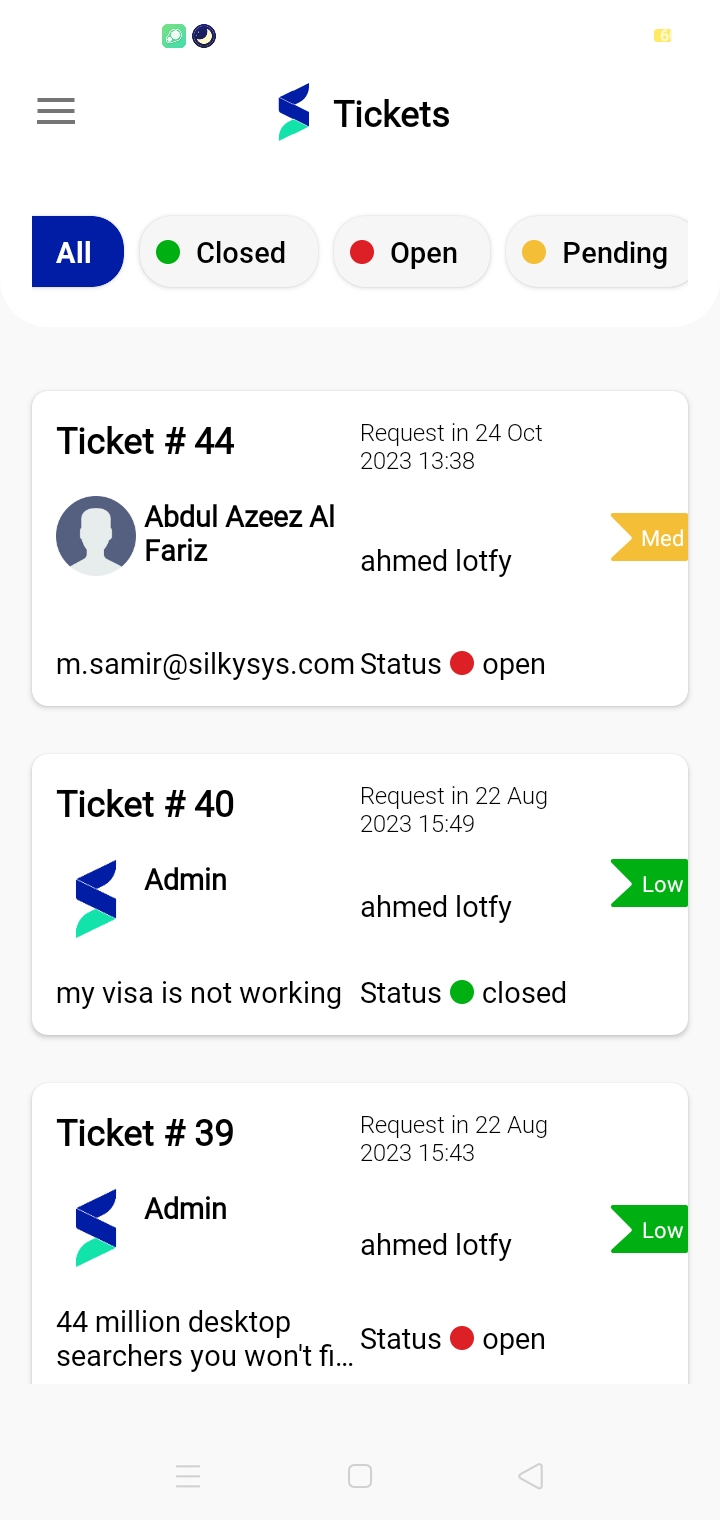
Filtering Tickets
Tickets can be filtered based on their status:
- All: Shows all tickets regardless of status.
- Closed: Lists tickets that have been resolved and closed.
- Open: Displays tickets currently open and requiring attention.
- Pending: Contains tickets that are pending further information or action.
- Resolved: Displays tickets that have been successfully resolved, indicating that the issue has been addressed and no further action is necessary.
Conclusion
Tickets are essential for efficient issue tracking and resolution within the CRM mobile application. By effectively utilizing the Tickets feature, users can ensure timely support and management of client or employee issues.